
Computer Classes for Seniors: What You Should Know
More older adults are discovering that learning to use a computer isn't just possible - it's genuinely life-changing. From video-calling grandchildren to managing health appointments online, digital skills are opening doors that many seniors never thought they'd walk through. But with so many options out there, knowing where to begin and what to look for makes all the difference.
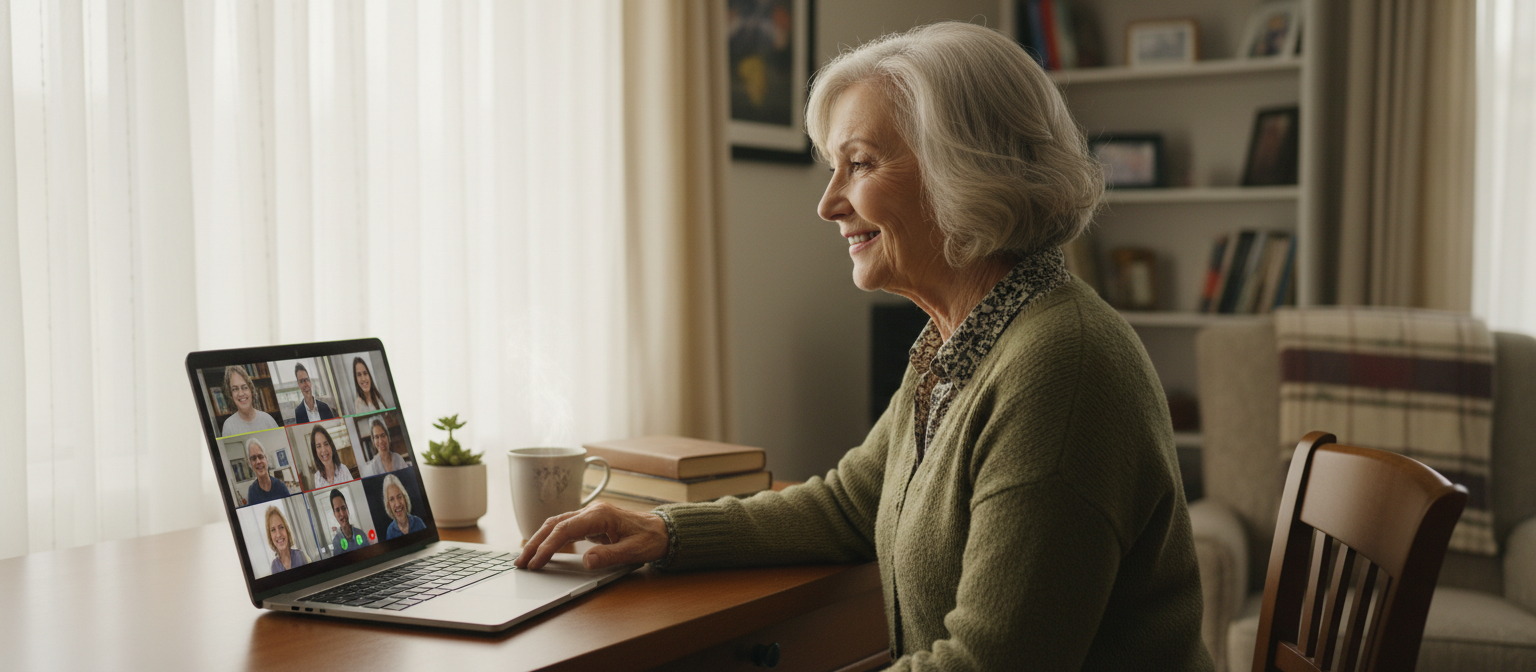 Why More Seniors Are Signing Up for Computer Classes
It's not just about keeping up with the times. Research consistently shows that learning new digital skills helps older adults maintain sharper cognitive function, build social connections, and live more independently. Classes designed specifically for seniors address real, everyday needs - like video calling family, banking online safely, or using telemedicine platforms - rather than overwhelming learners with unnecessary technical jargon.
Programs like Senior Planet by AARP and GetSetUp have seen growing enrollment year after year, reflecting a genuine hunger among the 60+ community to embrace digital life on their own terms.
The Biggest Barrier: Fear of Getting It Wrong
Most seniors who hesitate to take a computer class aren't worried about the technology itself - they're worried about embarrassment. "What if I ask a silly question?" or "What if I break something?" are common concerns.
The good news? Classes built for older adults are specifically designed to eliminate that fear. Instructors are patient. Pacing is intentional. And many programs are taught by seniors, for seniors - meaning the person at the front of the room truly understands what it feels like to start from scratch.
What a Good Senior Computer Class Should Cover
Not all computer classes are created equal. Here's what the best programs typically include:
- The basics: Navigating a tablet, laptop, or smartphone with confidence
- Internet safety: How to spot scams, set strong passwords, and protect personal information
- Staying connected: Email, video calls (Zoom, FaceTime), and social media basics
- Health tools: Using patient portals, booking telehealth appointments, and managing prescriptions online
- Everyday convenience: Online shopping, banking, and streaming entertainment
In 2026, many programs are also introducing lessons on AI assistants - simple tools that can help seniors draft emails, get answers to questions, or even set medication reminders by just speaking out loud.
Online vs. In-Person: Which Is Better?
Both formats have real advantages, and the right choice depends on personal preference.
In-person classes - often offered at community centers, local libraries, or senior centers - provide hands-on support and the social connection that comes from being in a room with peers. Many participants say the friendships formed in these classes are just as valuable as the skills learned.
Online classes offer flexibility. Learners can go at their own pace, pause and rewatch lessons, and participate from the comfort of home. Platforms like GetSetUp even offer live, instructor-led sessions on Zoom, combining the best of both worlds.
Are There Free Computer Classes for Seniors?
Yes - and more than most people realize. Here are some reliable options to explore:
- Public libraries: Many branches offer free digital literacy workshops specifically for older adults
- Senior Planet (AARP): Free live online classes covering a wide range of topics
- GetSetUp: Partnered with many public libraries for free access
- Community colleges: Several states offer tuition waivers for adults 60+ auditing classes
- Local senior centers: Often host beginner-friendly tech workshops at no cost
The AARP Foundation's Digital Skills Ready@50+ initiative is one notable program that helps older adults - particularly those from underserved communities - gain practical digital skills for everyday independence.
Tips for Getting the Most Out of a Computer Class
Starting is the hardest part. Once you're in, here's how to make the experience as smooth as possible:
- Start with one goal. Don't try to learn everything at once. Pick one thing - like video calling family - and master that first.
- Take notes by hand. Writing things down helps reinforce what you've learned and gives you a reference to come back to.
- Practice between sessions. Even 10-15 minutes a day of exploring on your own builds confidence fast.
- Ask questions freely. There's no such thing as a silly question in a class designed for beginners.
- Find a "tech buddy." Learning alongside a friend or family member makes the process more enjoyable and keeps you accountable.
The Hidden Benefit No One Talks About
Beyond the practical skills, seniors who take computer classes consistently report something unexpected: a boost in confidence. Learning something new at any age proves to yourself - and others - that growth doesn't stop with retirement. Many participants describe it as one of the most empowering decisions they've made in years.
The social dimension matters, too. Online communities, local tech clubs, and class group chats create new friendships and a sense of belonging that combats one of the most significant challenges facing older adults today - loneliness.
Finding the Right Program for You
The ideal computer class for a senior in a small town might look very different from the right program for someone in a major city. Factors like preferred learning style, access to transport, internet connectivity at home, and specific goals (health, family, finances) all shape the decision.
That's why it's worth taking a few minutes to search for options tailored to your specific location, budget, and needs - rather than settling for a one-size-fits-all solution.
The best programs meet learners exactly where they are. And in 2026, there are more well-designed, senior-friendly options available than ever before.
Ready to Explore Your Options?
Whether you're just curious or ready to sign up today, the most important step is simply gathering the right information for your situation. Local availability, program formats, costs, and skill levels all vary widely - which is why searching for options specific to your area and circumstances is the smartest place to start.
Use the search terms below to find computer classes, digital literacy programs, and tech support resources that match exactly what you're looking for.